Liftly for WooCommerce
Small plugins that lift every order.
Win back sold-out sales, sell the bigger pack, make the right products stand out and keep every order the size you need. Four focused plugins that look at home in your store.
- Runs inside your WordPress site
- No account, no tracking
- Classic and block checkout

Liftly Back in Stock Notifications & Waitlist
Every sold-out page is a sale waiting to happen.
Without it
A sold-out page is a dead end. The shopper leaves for another store, and you never learn who wanted the product.
With Liftly
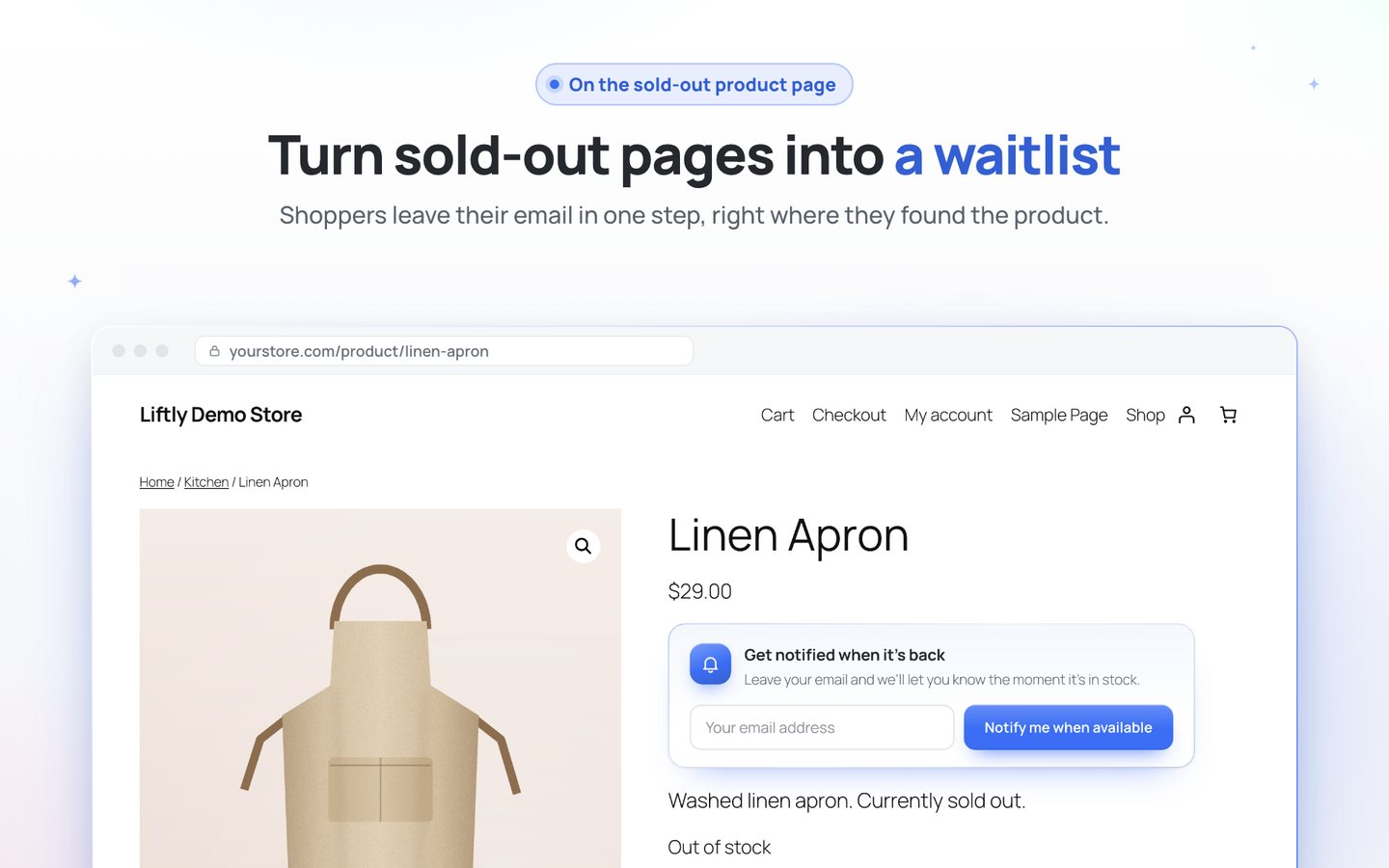
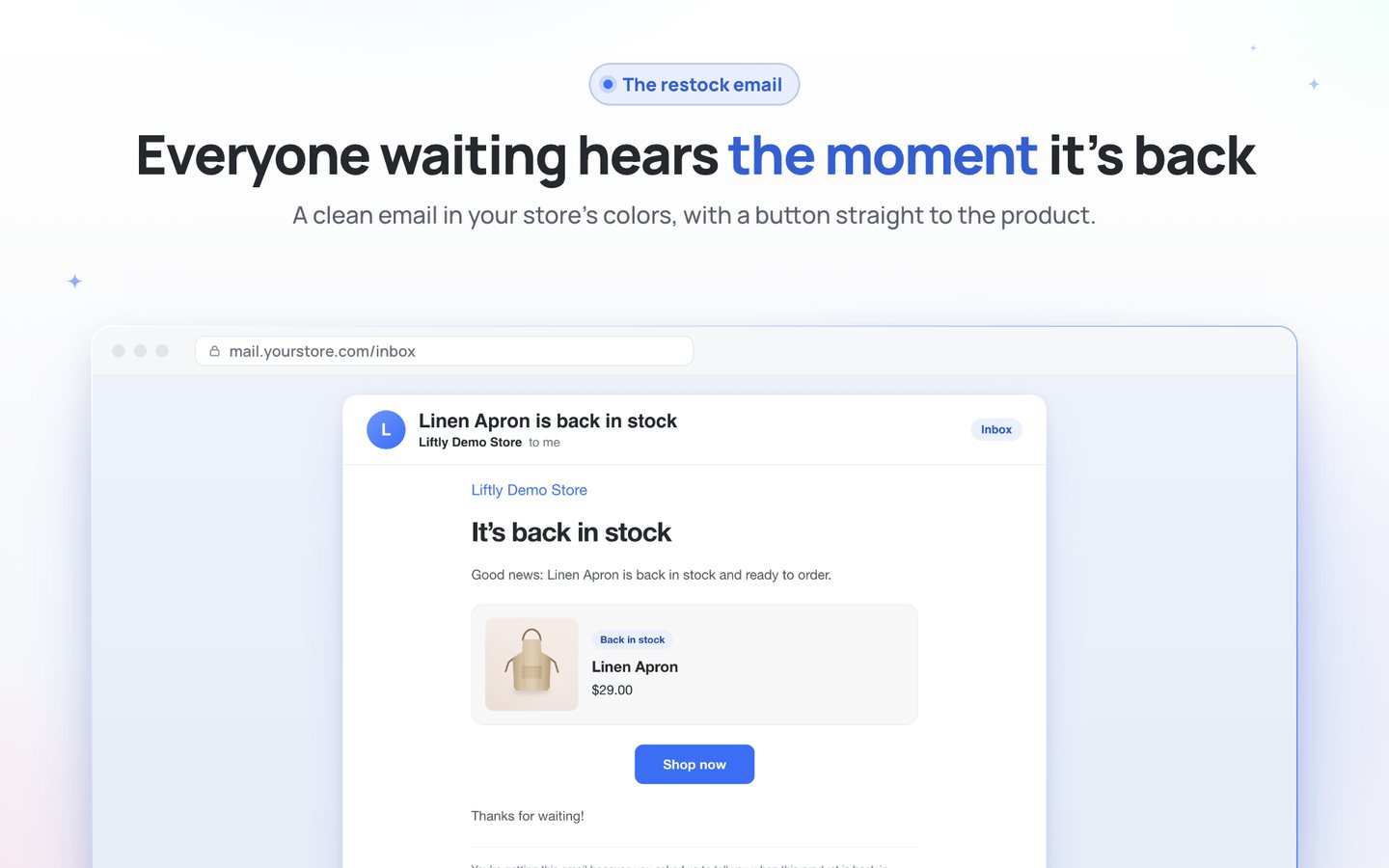
A waitlist form appears on every sold-out product. The moment you restock, everyone waiting gets an email with a button straight to the product.
- Restock emails that really go outSent the moment stock returns, however it changes: by hand, by import or from a cancelled order.
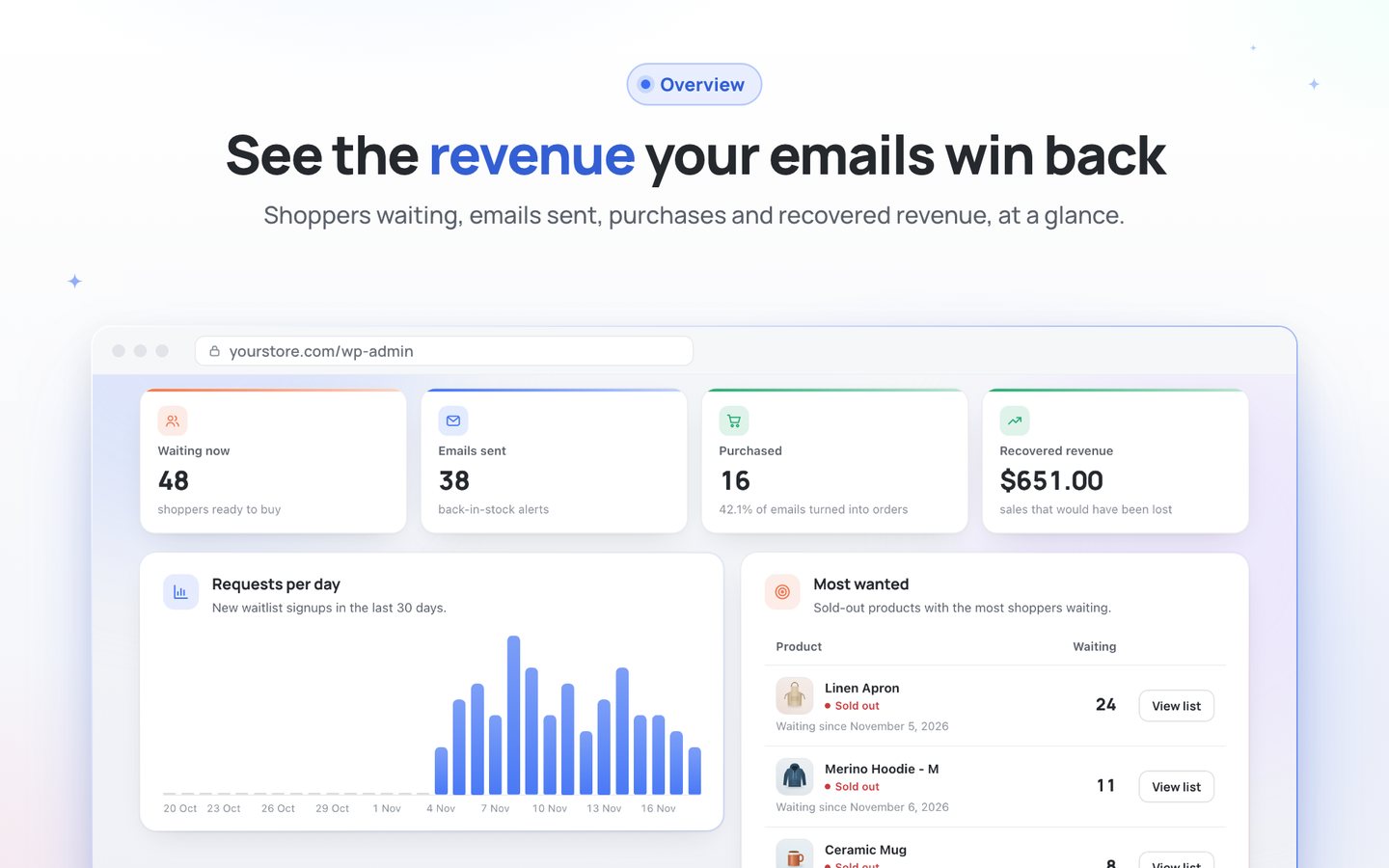
- See the money you won backShoppers waiting, emails sent, purchases and recovered revenue on one Overview.
- Works out of the boxActivate it and the form is already on your sold-out products.
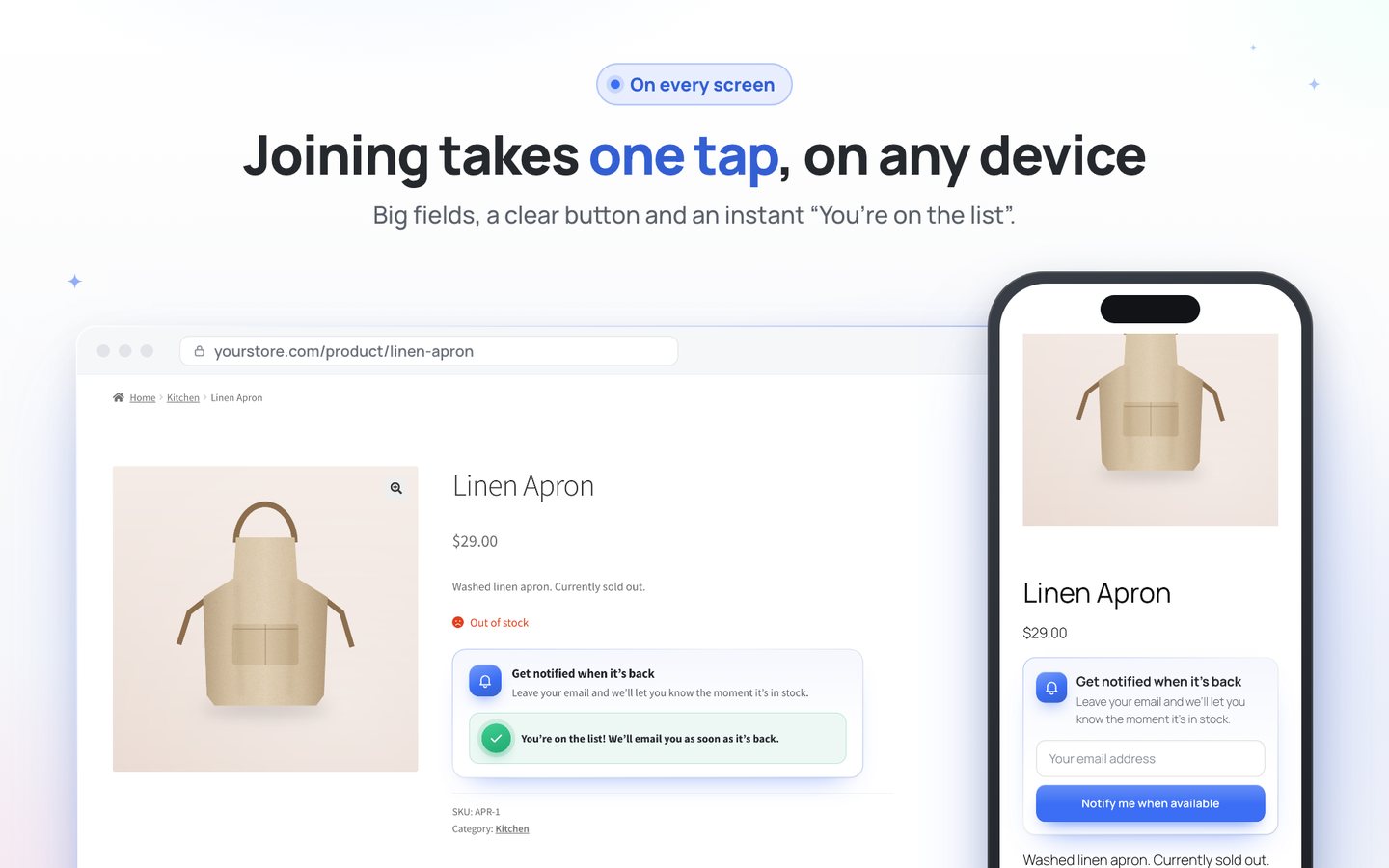
- Every size and variationThe form shows up for the exact sold-out variation a shopper picks.
- Know what to restock first“Most wanted” ranks sold-out products by the number of shoppers waiting.
- A list of real shoppersGuests confirm their email with one tap, with consent and one-click unsubscribe built in.
Start in two minutes
Download the plugin, upload it in WordPress and activate.
- Runs inside your site: no account, no external service, no tracking.
- Classic and block themes, the classic and the block checkout.
- Looks right on phones, tablets and desktops.
- Your texts and colours, with a live preview in the settings.

Liftly Tiered Pricing & Quantity Discounts
Turn one-unit buyers into multi-unit buyers.
Without it
Most shoppers buy one unit, because nothing tells them that the second and the sixth are cheaper. Coupons for bulk orders confuse them.
With Liftly
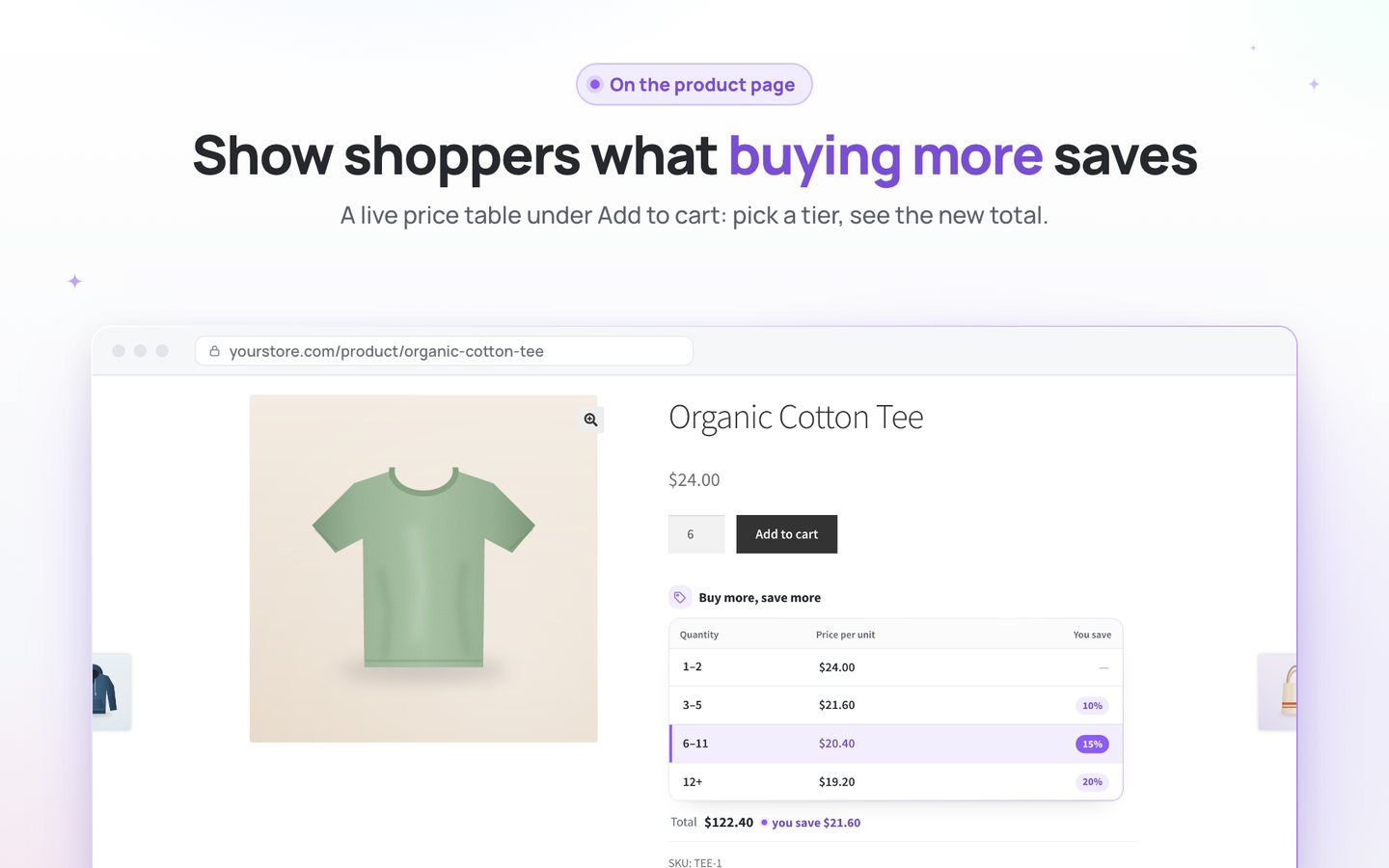
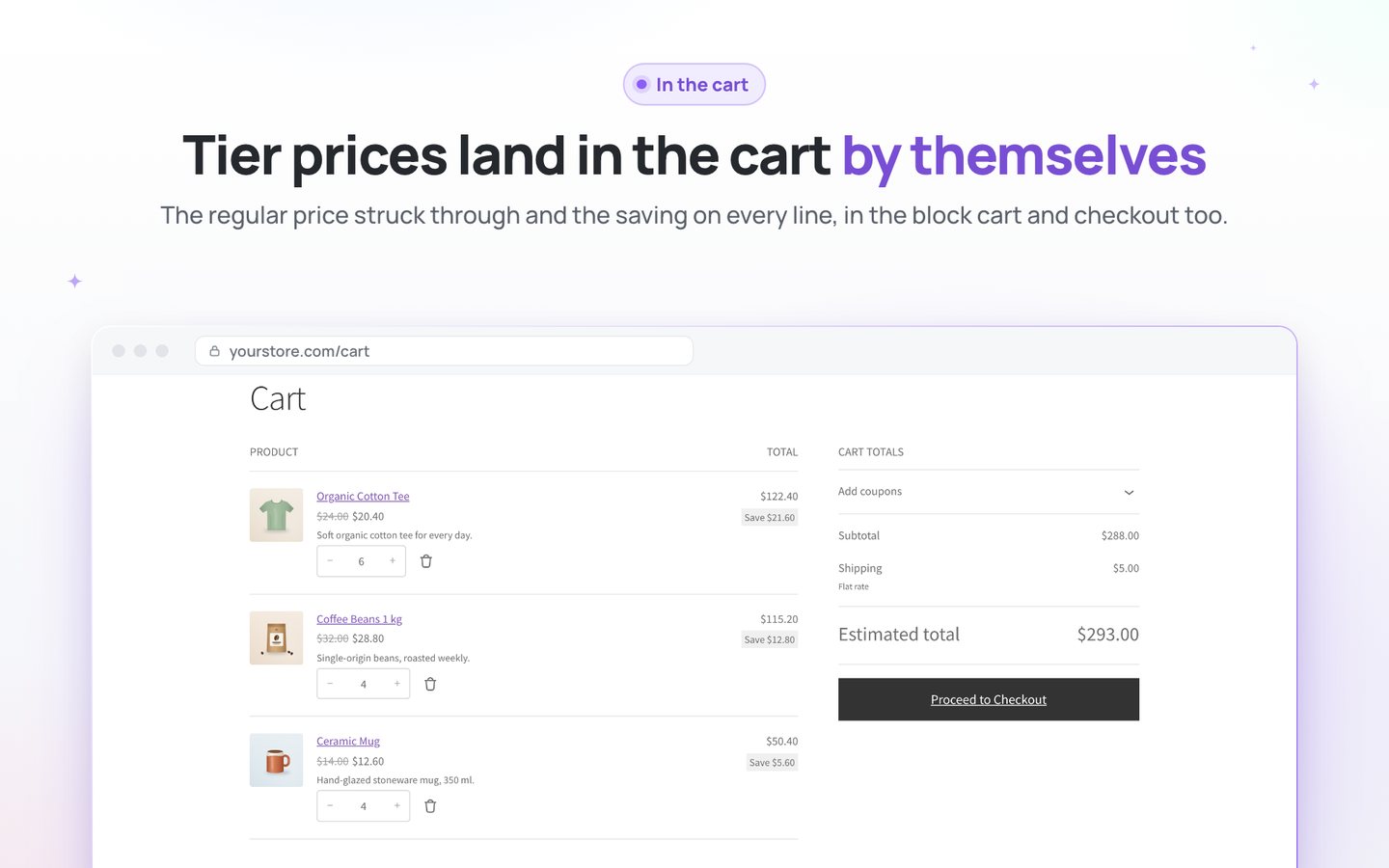
A live price table under Add to cart shows every price break and what one more unit saves. The cart charges the right price on its own.
- Percent off or a fixed price“15% off from 6 units” or “$20.00 each from 6 units”, as many tiers as you like.
- A price table that sellsThe matching tier lights up, a tap on a row sets the quantity, a live total shows the saving.
- Block cart and checkout includedRegular price struck through and the saving on every line. Coupons apply on top.
- Variable products done rightTiers apply to every variation, and the table follows the one the shopper picks.
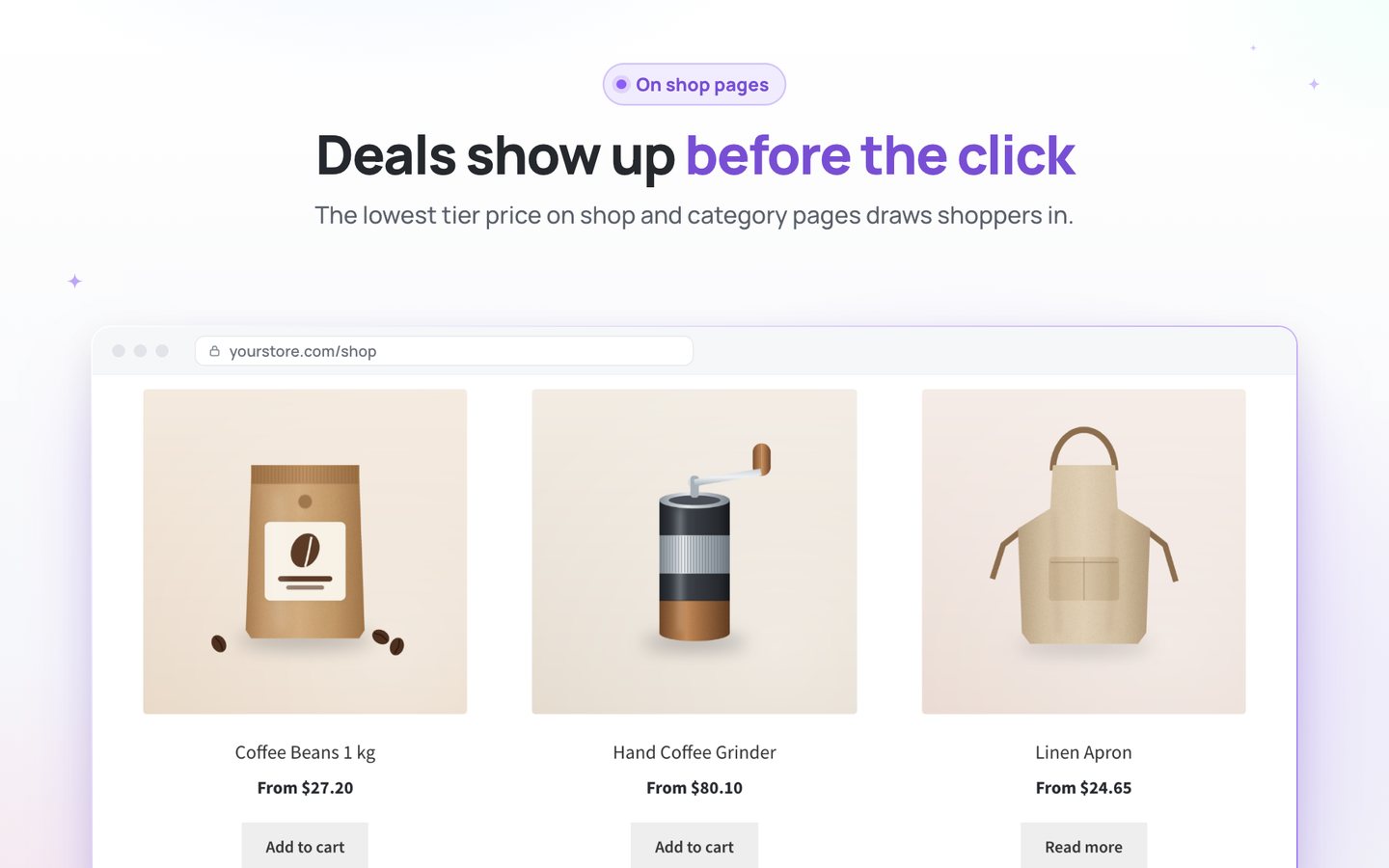
- Deals visible before the clickThe lowest tier price shows on shop and category pages.
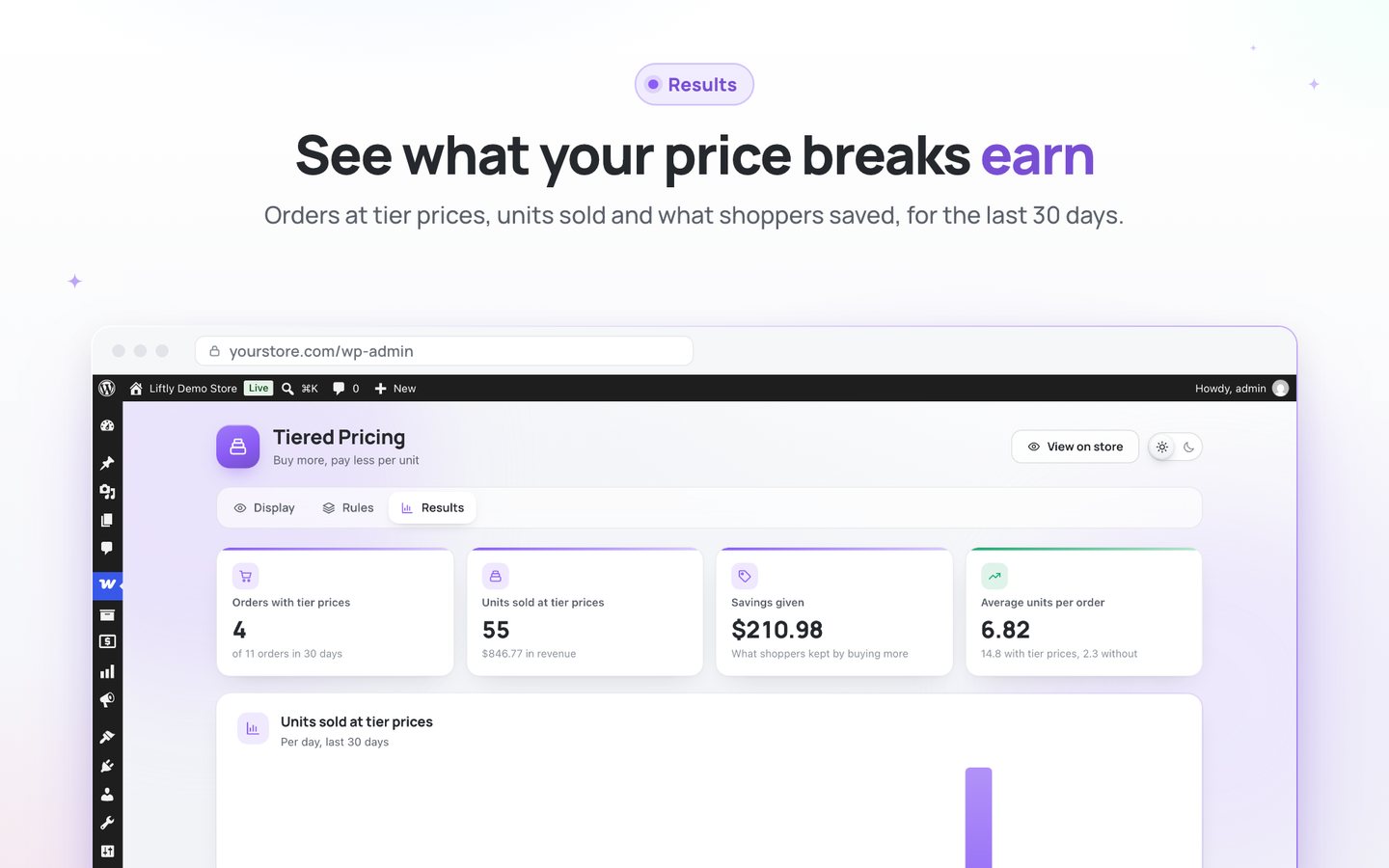
- See what it earnsOrders at tier prices, units sold and what shoppers saved over the last 30 days.
Start in two minutes
Download the plugin, upload it in WordPress and activate.
- Runs inside your site: no account, no external service, no tracking.
- Classic and block themes, the classic and the block checkout.
- Looks right on phones, tablets and desktops.
- Your texts and colours, with a live preview in the settings.

Liftly Product Badges & Labels
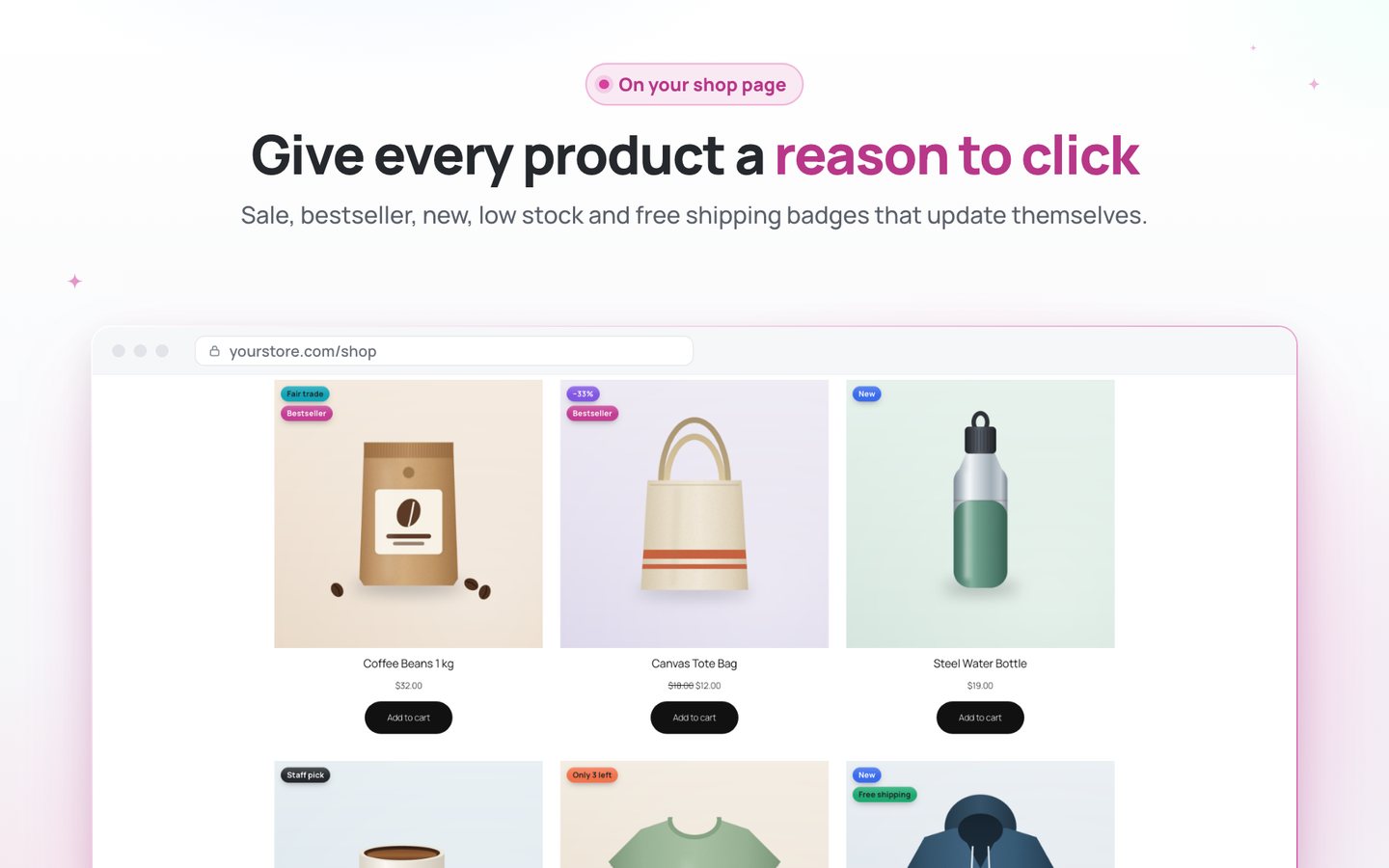
Shoppers decide at a glance. Give every product card a reason to click.
Without it
On a grid of look-alike products, shoppers can’t tell which one is on sale, new, a bestseller or almost gone, so they scroll past.
With Liftly
Clear badges appear by themselves when a price drops, stock runs low or a product sells best, and leave when the moment passes.
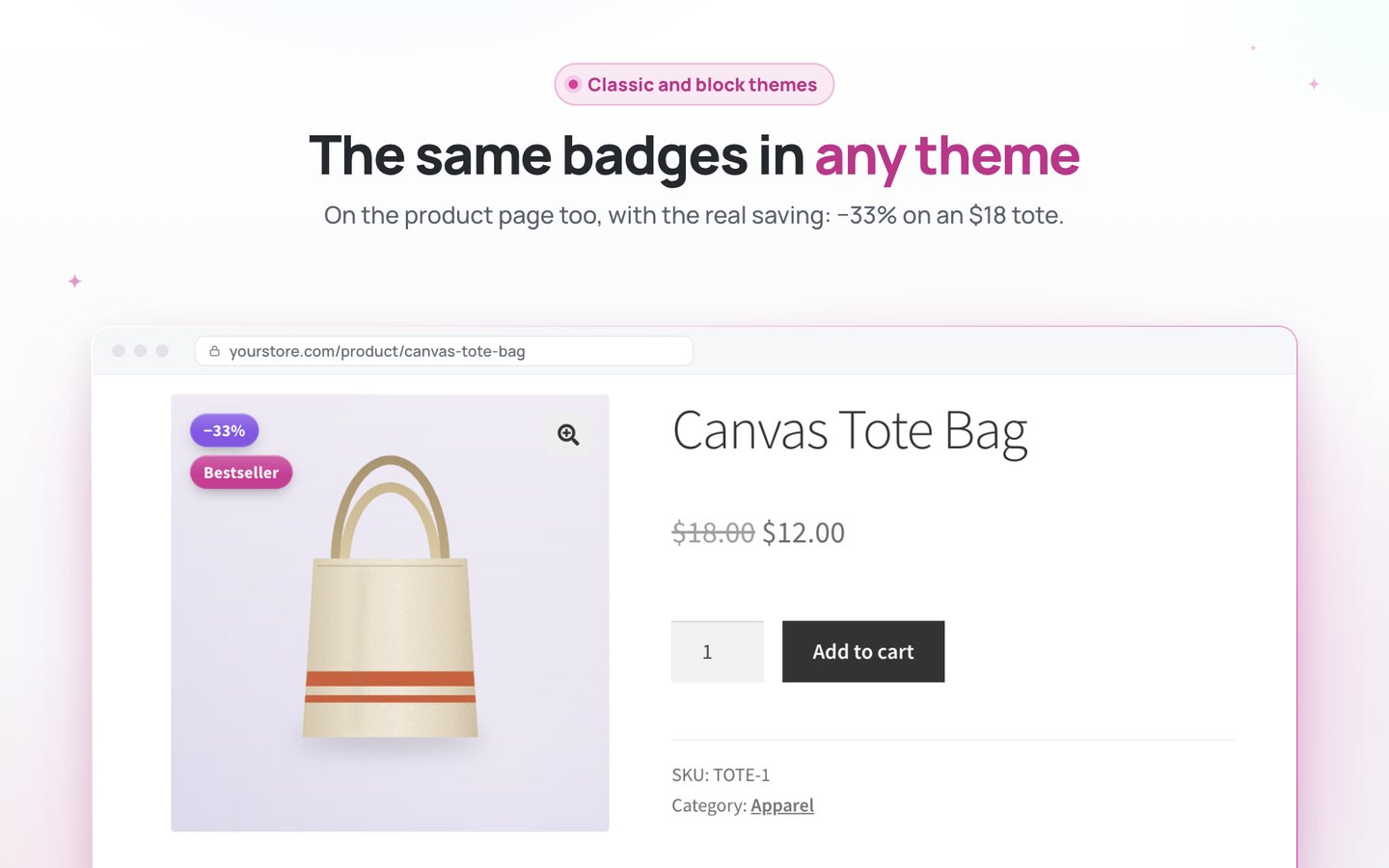
- Real savings, not just “Sale”It shows “−33%” or “Save $6”, and replaces WooCommerce’s own “Sale!”, so a product never wears two.
- Works on its ownSale, New, Low stock, Sold out, Bestseller, Staff pick and Free shipping switch on and off by themselves.
- Sell the last units faster“Only 3 left” shows when stock runs low.
- Let your hits sell themselvesTop sellers get a Bestseller badge, recounted every day.
- Tell each product’s story“Handmade”, “Gift idea” or “Fair trade” on any product, with optional dates.
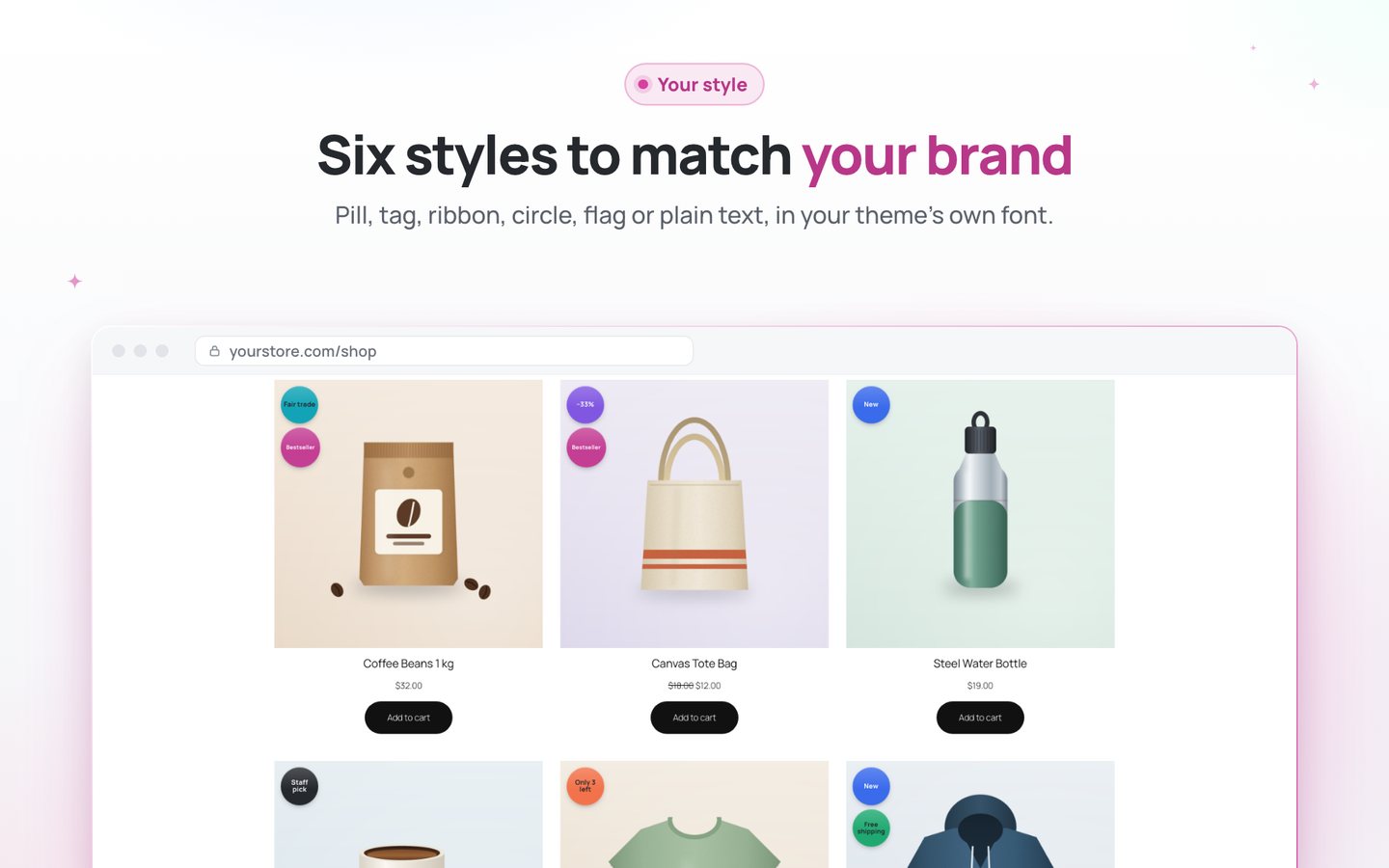
- Match your brand in minutesSix styles, three sizes, four corners, your texts and colours, with a live preview.
Start in two minutes
Download the plugin, upload it in WordPress and activate.
- Runs inside your site: no account, no external service, no tracking.
- Classic and block themes, the classic and the block checkout.
- Looks right on phones, tablets and desktops.
- Your texts and colours, with a live preview in the settings.

Liftly Min/Max Quantities & Order Rules
Stop small, awkward orders without turning shoppers away.
Without it
Tiny orders cost more to pack and ship than they earn, and WooCommerce has no rules for packs or minimums. A cold error at checkout loses the whole cart.
With Liftly
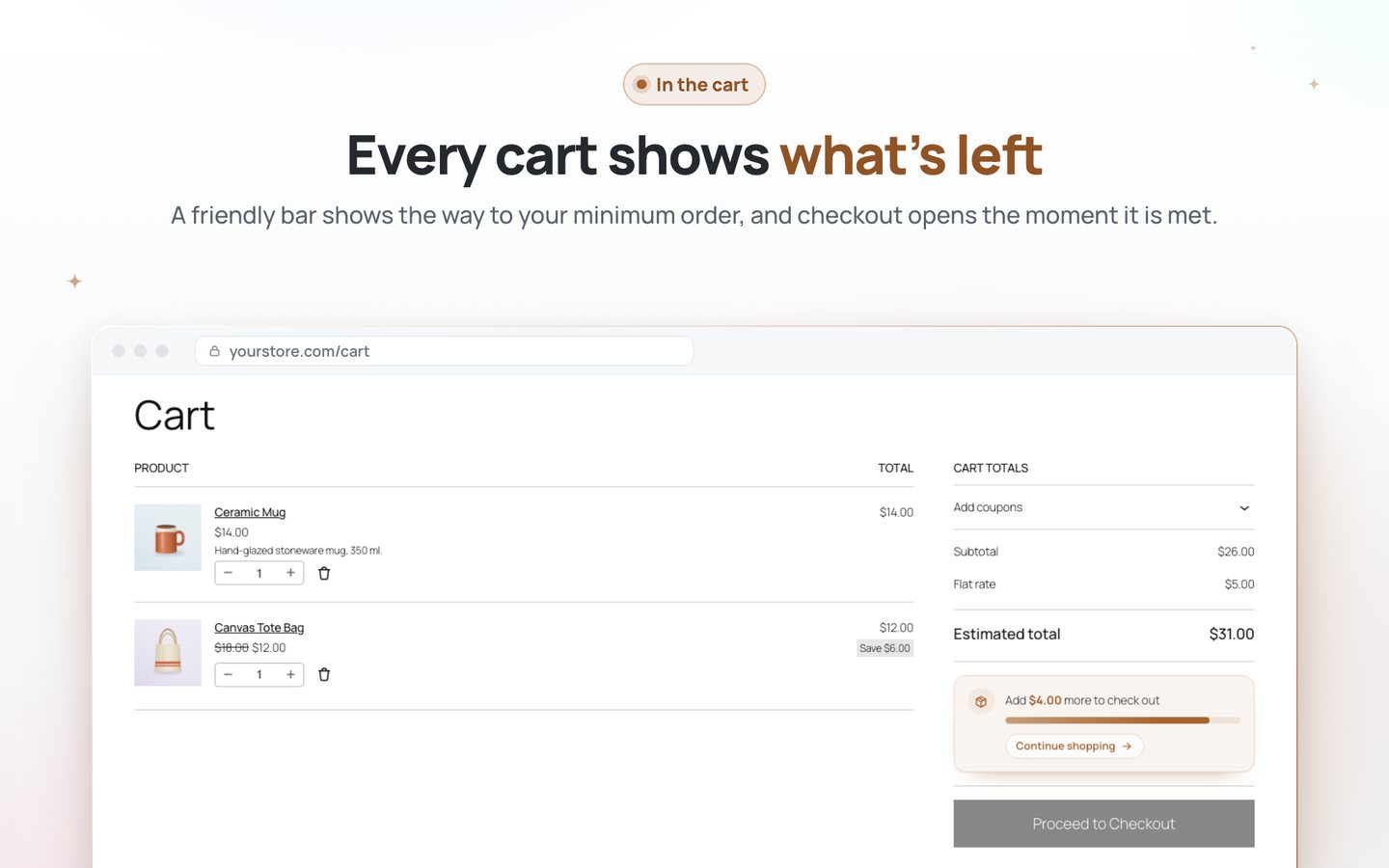
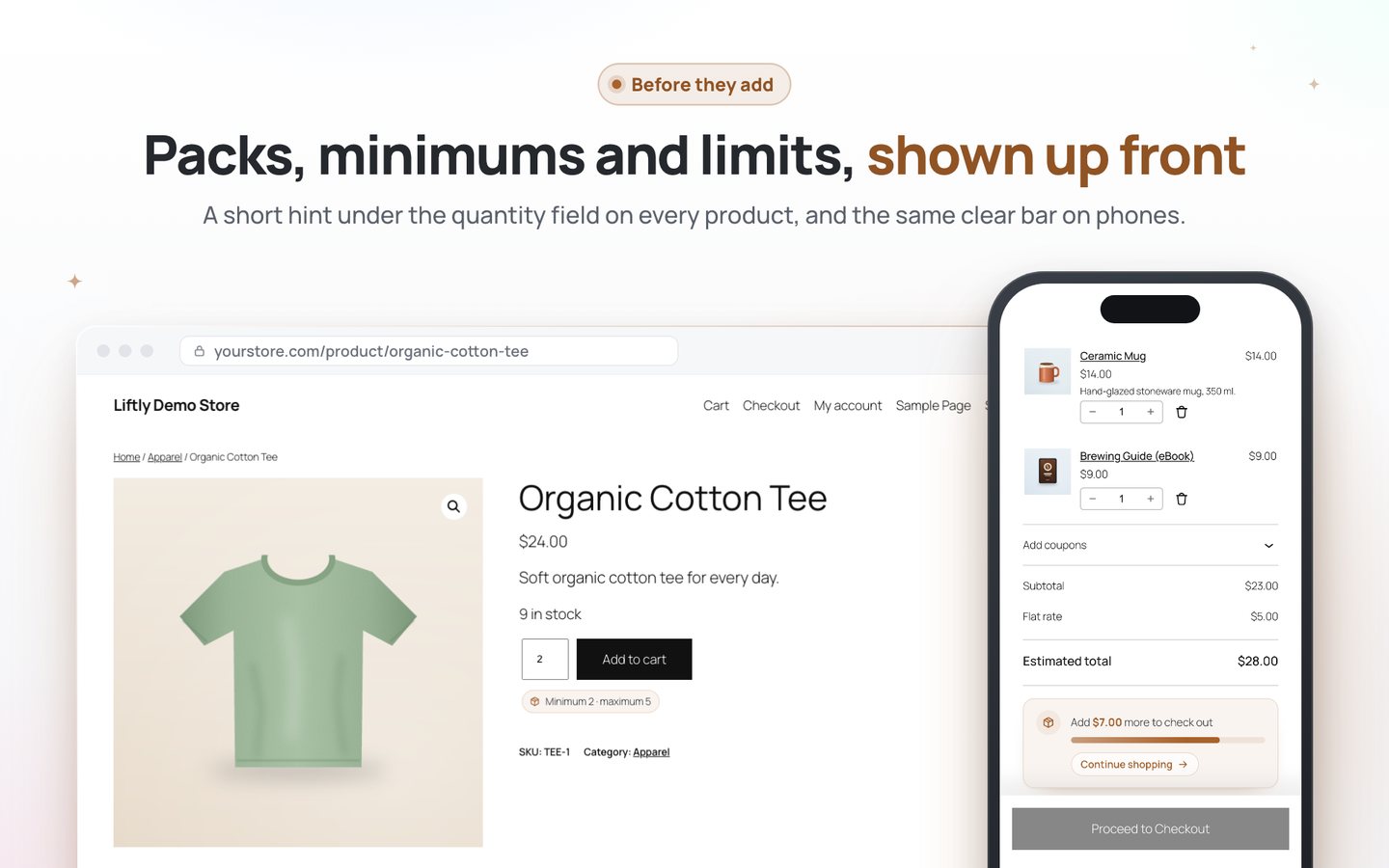
Minimums, maximums and pack sizes are shown before shoppers add, quantities are fixed kindly, and a progress bar shows what is left to reach your minimum order.
- Set up in a minuteOne Rules page for the store and a Quantity rules tab on every product.
- Shoppers see the rule before they add“Sold in packs of 6” or “Minimum 2 · maximum 5” right under the quantity field.
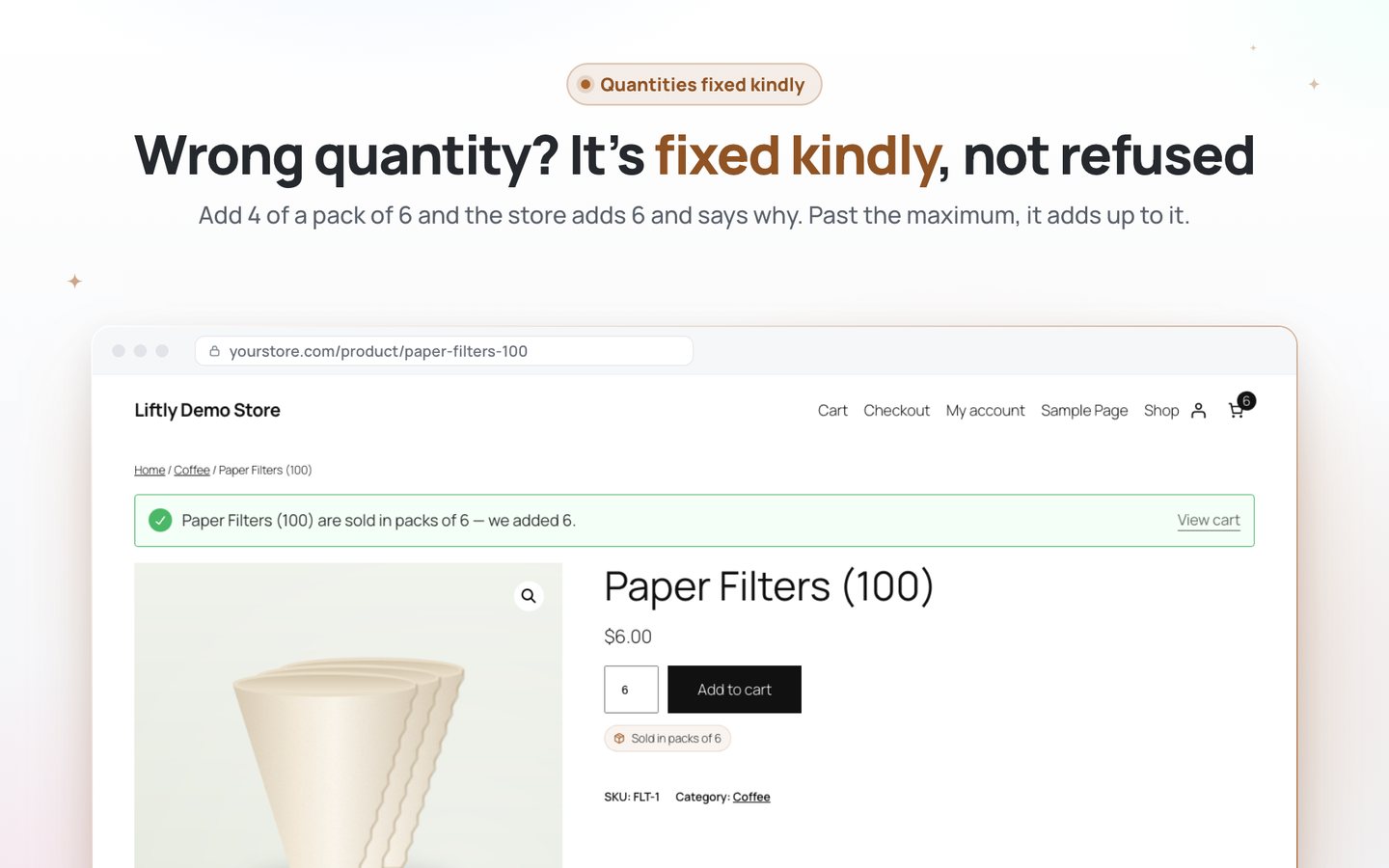
- Quantities fixed kindly, not refusedAdding 4 of a pack of 6 adds 6 and says why. No error walls, no lost carts.
- A minimum order that sellsA warm progress bar shows exactly what is left, with a way back to the shop.
- No order slips throughEvery rule is checked on your server, in the classic and the block checkout.
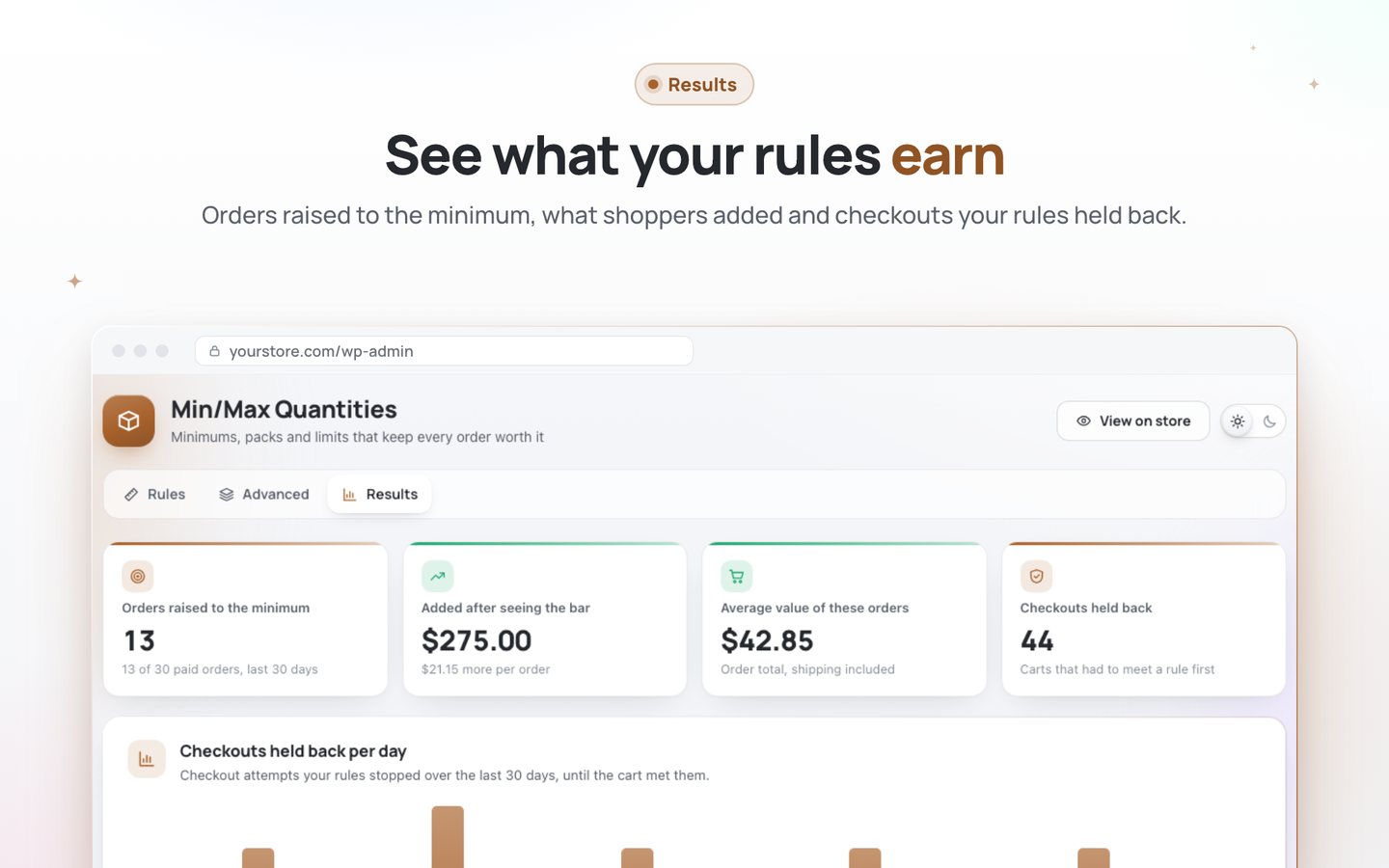
- See what it earnsOrders raised to your minimum and how much shoppers added.
Start in two minutes
Download the plugin, upload it in WordPress and activate.
- Runs inside your site: no account, no external service, no tracking.
- Classic and block themes, the classic and the block checkout.
- Looks right on phones, tablets and desktops.
- Your texts and colours, with a live preview in the settings.
Install
Up and running in two minutes
- Download the zip of the plugin you want. Keep it zipped.
- In WordPress open Plugins → Add New → Upload Plugin.
- Choose the zip, click Install Now, then Activate.
- Open the plugin under WooCommerce in the menu. Most work right away.
Needs WordPress 6.5+, WooCommerce 8.0+ and PHP 7.4+. Premium installs the same way, next to the plugin, and turns on with your key. Questions: a@pr.tools.